- AI Toast
- Posts
- Anthropic AI Can Hack Software Like a Pro
Anthropic AI Can Hack Software Like a Pro
Plus: How to Generate images inside Claude

Poonam Soni
April 10, 2026
In partnership with

Welcome to AI Toast!
Here’s what’s on the menu today:
Anthropic’s new Project Glasswing can break into systems (and fix them)
Google adds notebooks to make Gemini more useful
Superhero tools for content & growth
Tutorial: How to use Nano Banana to Generate images inside Claude
Quick Toasts: OpenAI introduces new $100 ChatGPT plan aimed at heavy users
Total read time: About 5 minutes, perfect for a quick coffee brea
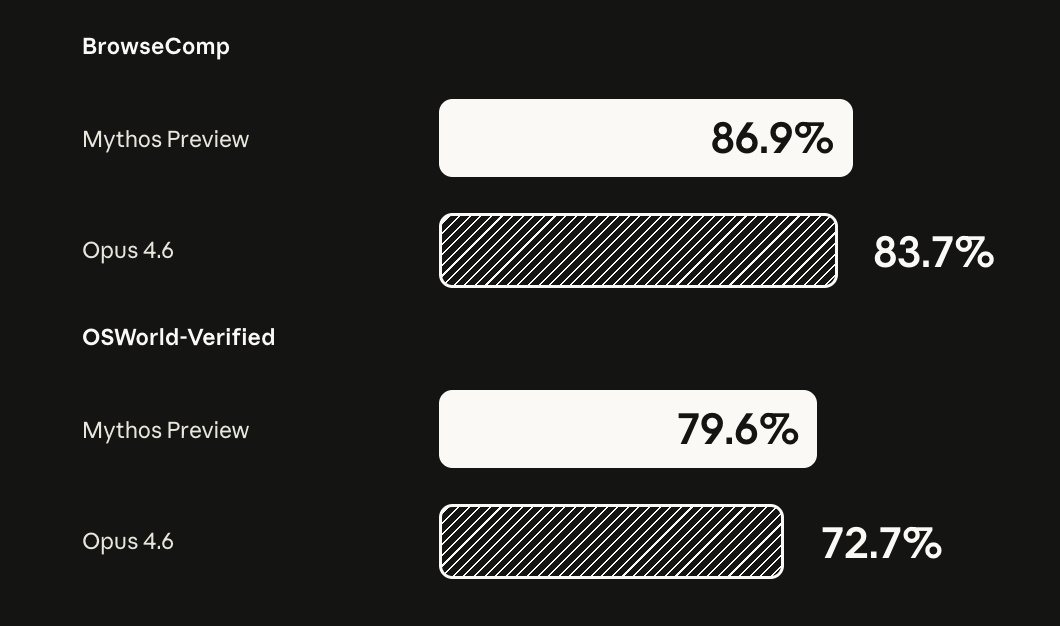
Image Source: Anthropic Blog
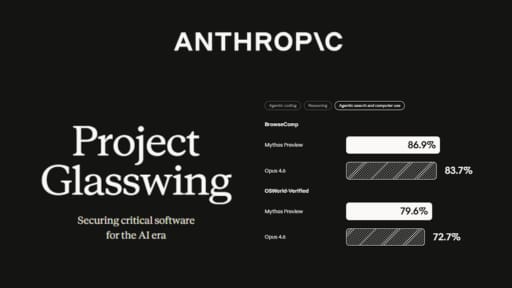
Anthropic has introduced Project Glasswing, a major cybersecurity initiative with partners like Amazon, Google, Microsoft, and NVIDIA.
At the center of this is an unreleased model, Claude Mythos Preview, which shows a huge leap in AI’s hacking and security capabilities.
- The model has already found thousands of critical vulnerabilities
- Some bugs were hidden for years - even decades
- It can detect and exploit issues almost on its own
To stay ahead of potential risks, Anthropic is:
- Committing $100M in credits for security research
- Working with 40+ organizations to secure systems
- Supporting open-source security projects
The goal → use AI to fix vulnerabilities before attackers can exploit them.
Personal Take: This is where things get real. AI is no longer just assisting. It is actively thinking like a hacker. The real race now is who uses it first: defenders or attackers.
Ship Docs Your Team Is Actually Proud Of

Mintlify helps you create fast, beautiful docs that developers actually enjoy using. Write in markdown, sync with your repo, and deploy in minutes. Built-in components handle search, navigation, API references, and interactive examples out of the box, so you can focus on clear content instead of custom infrastructure.
Automatic versioning, analytics, and AI powered search make it easy to scale as your product grows. Your docs stay accurate automatically with AI-powered workflows with every pull request.
Whether you're a dev, technical writer, part of devrel, and beyond, Mintlify fits into the way you already work and helps your documentation keep pace with your product.
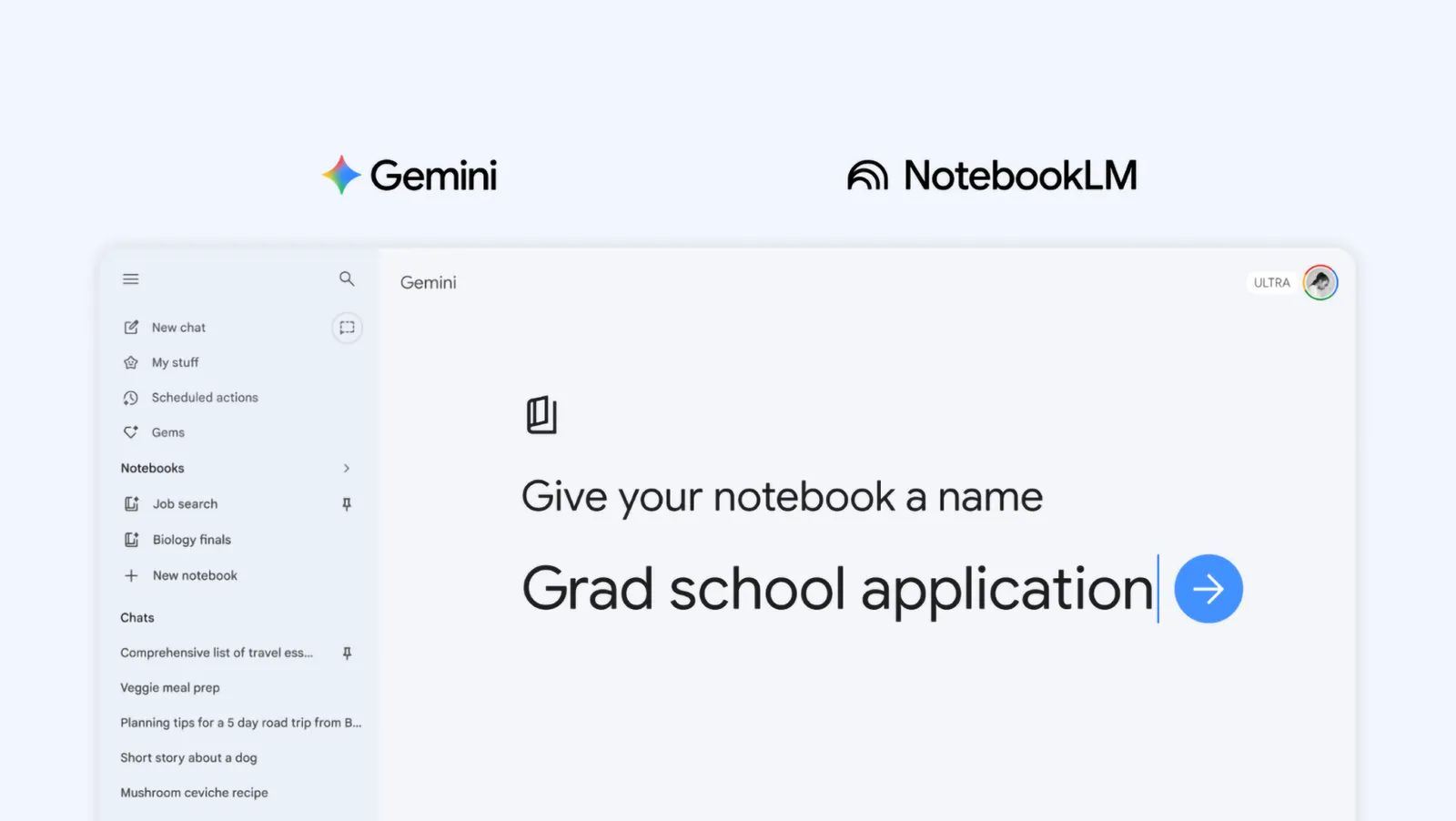
Image reference: Google
Google is making Gemini more useful for real tasks with a new feature called Notebooks.
It gives users a dedicated space to manage ongoing work without losing context.
- Group chats and files into one notebook
- Turn Gemini into a more personalized assistant
- Keep everything organized for long-term projects
The key upgrade is shared memory across tools
- Notebooks sync with NotebookLM automatically
- Your research, notes, and chats stay connected
- Makes switching between tools seamless
Right now, it’s rolling out on web for paid Gemini users, with mobile and free access coming soon.
Personal Take: This feels like a shift from simple AI chats to structured workspaces. Instead of losing context across conversations, you now have a system that remembers, organizes, and builds on your work, making AI far more useful for real projects.
Your AI is resolving tickets. Is it keeping customers?

Resolution rates look great. But Gladly's 2026 Customer Expectations Report reveals the metric most CIOs are missing — and what the data says about where AI investments actually translate into retention, not just throughput.
Superhero Tools (For Content & Growth))
Jasper: An AI writing assistant that helps you create blogs, ads, emails, and marketing content quickly with brand voice consistency.
Taplio: An AI-powered LinkedIn growth tool that helps you write better posts, generate ideas, and build your personal brand faster.
NotebookLM: Google’s AI research assistant that turns your documents into summaries, insights, and even podcast-style conversations for deep work.
CapCut: A popular video editing tool with AI features like auto captions, effects, and templates to create high-quality content easily.
Captions: An AI video tool that helps you generate captions, voiceovers, and talking videos with realistic avatars and editing features.
How to Generate images inside Claude

(Works for Claude Chat + Co-work mode)
↳ Chat = Ask for outputs one at a time
↳ Co-work = Uses your files + system
↳ Nano Banana = Gives Claude real creative powers
↳ Full Setup = Turns Claude into a visual creation machine
Step-by-Step Setup
✦ Open Claude
✦ Go to Settings → Connectors
✦ Click “Add Custom Connector”
✦ Paste this URL: https://mcp.pixa.com/mcp
✦ Save and enable it
⚠️ Most people quit before this step. Don’t be that person.
What You Just Unlocked
✦ Remove Background → Clean product shots instantly
✦ Generate Image → Turn text into visuals
✦ Upscale → Boost image quality up to 4×
✦ Generate Video → Create short videos from prompts
✦ Erase Object → Remove unwanted elements
✦ Asset Library → Store and reuse files easily
Pro Tips (Don’t Skip This)
Be specific with prompts → Instead of “make a poster,” say “minimal luxury perfume ad, black background, gold lighting, cinematic”
Chain your workflow → Generate → Upscale → Remove background → Re-edit (That’s how you get pro-level output, not average stuff)
Use reference images → Upload an image + prompt = way better results
Batch create content → Generate multiple images/videos in one go for reels, ads, or posts
Save assets smartly → Build your own reusable content library (logos, products, styles)
Real Talk:
This turns Claude into 👉 designer + editor + video creator in one Meanwhile… most people still using it like Google
Quick AI News Bites
OpenAI’s new ChatGPT pricing tier gains attention, hinting at premium AI becoming the next big monetization model.
Chinese startup ShengShu raises $293M for AGI development, showing continued massive funding flowing into next-gen AI systems.
Kyndryl launches AI-powered “Digital Twin for Workplace”, enabling companies to predict and fix IT issues before they impact employees.
Alibaba’s new video AI model makes global impact, reportedly ranking at the top immediately after launch.
Boost revenue and gain new customers by partnering with us
Reach over 35K AI enthusiasts with your product.
Join our newsletter to connect with tech professionals, investors, engineers, managers, and business owners worldwide. DM now!
Got feedback, a story worth toasting, or a wild tech question? I’d love to hear from you; just reply, or find me on X.
Cheers,
— Poonam Soni