- AI Toast
- Posts
- ChatGPT became a Shopping Assistant
ChatGPT became a Shopping Assistant
Plus: Create Presentations within NotebookLM

Poonam Soni
November 28, 2025
In partnership with

Welcome to AI Toast!
Here’s what’s on the menu today:
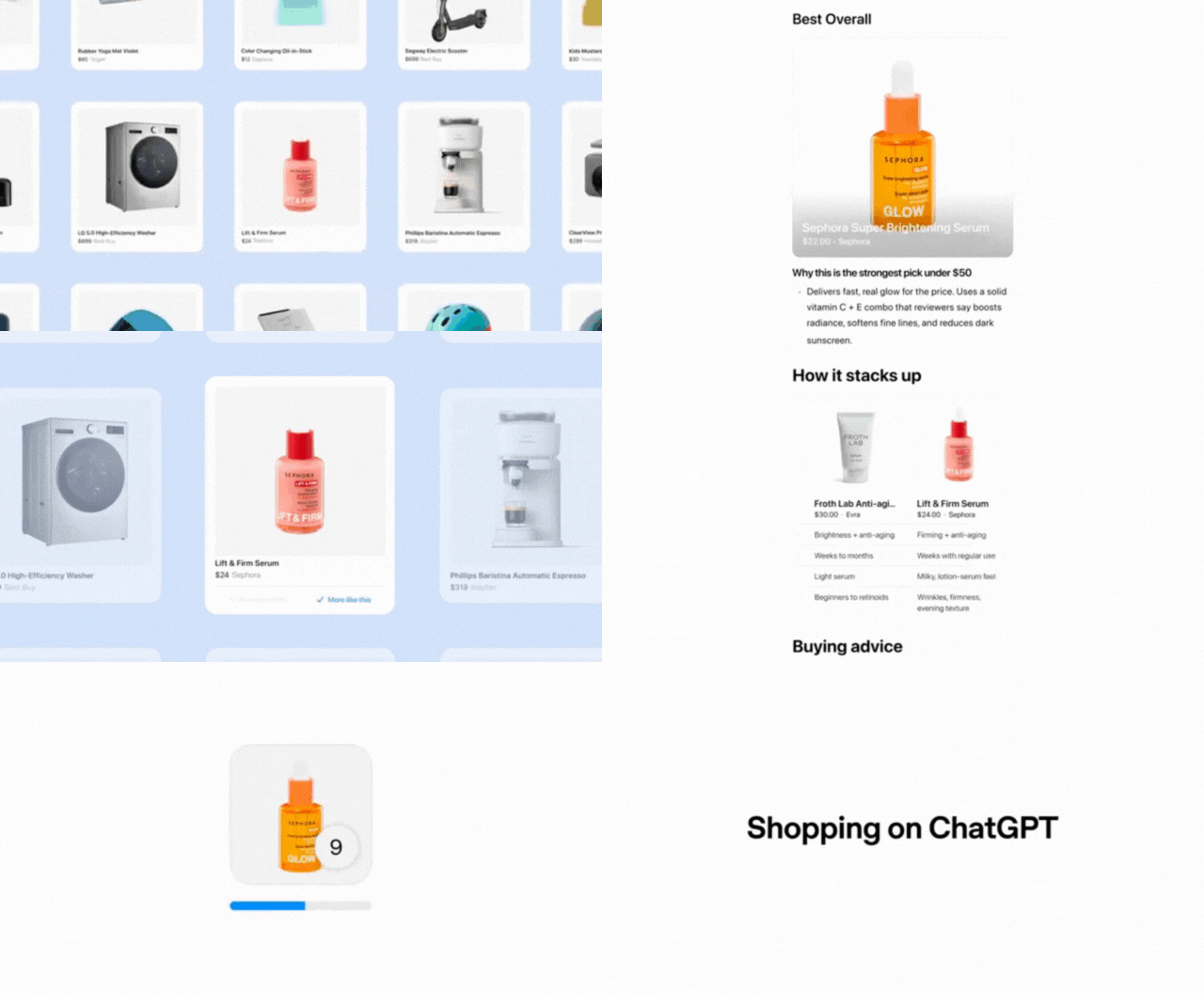
OpenAI adds a shopping tool inside ChatGPT.
MIT study says 12% of jobs will be wiped out by AI 😳
OpenAI discloses Mixpanel security incident
Superhero tools
Generate Slides with NotebookLM
Quick AI Toasts: WhatsApp boots rival chatbots
Total read time: About 7 minutes, perfect for a short shopping spree with ChatGPT.
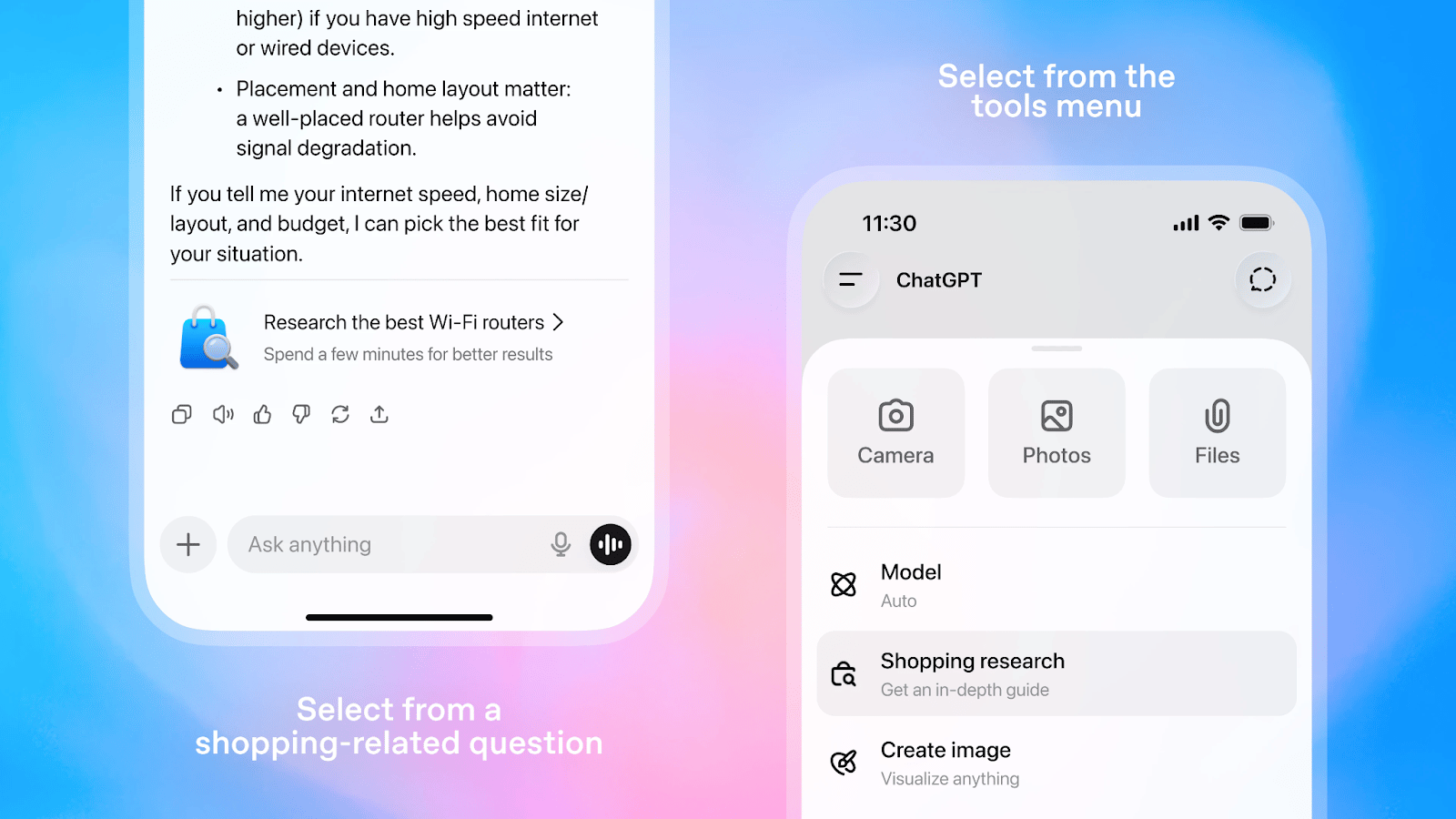
Image Source: OpenAI Blog
A new, conversational tool in ChatGPT builds tailored buyer’s guides in minutes. It clarifies needs, searches trusted sources, and returns options with tradeoffs, prices, and citations.
What it is: A shopping research mode powered by a GPT‑5 mini variant fine‑tuned for product discovery.
How it works: Chats to refine constraints, pulls up‑to‑date price, availability, specs, and reviews, and adapts to feedback.
Where it shines: Detail‑heavy categories like electronics, beauty, home/kitchen, sports/outdoor, and side‑by‑side comparisons.
Availability: Rolling out on mobile and web for Free, Go, Plus, and Pro; near‑unlimited usage through holidays.
Trust & transparency: Cites reliable retailers, avoids spam sites, chats aren’t shared with merchants, and allows listing for sellers.
Limitations: May miss on price/availability; verify on retailer pages. Performance evaluated on product‑accuracy benchmarks.
Personal Take: AI shopping will feel almost invisible. Tell your phone “I need a quiet desk setup,” and it builds the whole kit, compares prices, and schedules delivery before you finish your coffee. It’s dreamy, but the big risk is algorithmic lock-in. The system learns you too well and starts steering you to the same brands, same price tiers, and same “safe” choices, while quietly experimenting with dark pricing and nudging your behavior. Only time will tell.
From Boring to Brilliant: Training Videos Made Simple
Say goodbye to dense, static documents. And say hello to captivating how-to videos for your team using Guidde.
1️⃣ Create in Minutes: Simplify complex tasks into step-by-step guides using AI.
2️⃣ Real-Time Updates: Keep training content fresh and accurate with instant revisions.
3️⃣ Global Accessibility: Share guides in any language effortlessly.
Make training more impactful and inclusive today.
The best part? The browser extension is 100% free.

Image generated with Gemini
AI can already replace 11.7% of U.S. jobs, touching $1.2T in wages. MIT + ORNL’s “digital twin” of the labor market shows where disruption forms first.
The agent-based “Iceberg Index” simulates 151M workers, 32k skills, 923 occupations, and 3k counties.
Exposure: Visible tech layoffs = 2.2% ($211B); hidden routine work risk = far larger ($1.2T).
Spread: Not just coastal tech hubs, exposed roles appear across all 50 states, including rural regions.
Policy Sandbox: States (Tennessee, North Carolina, Utah) run scenarios to target reskilling at zip-code level.
Insulation: Physical, sectoral anchors (health care, nuclear, manufacturing, transport) offset purely digital automation for now.
Use-case: Plan training dollars, test adoption rates, and shift workforce programs before legislating.
Personal Take: AI becomes a “skill router.” Routine tasks will get automated, and human judgment, physical work, and domain expertise will gain premium value. If you are afraid of losing your job today, start upskilling.
Software sprawl? That’s SaaD.

Software was supposed to make work easier. Instead, most teams are buried under it.
That’s SaaD – Software as a Disservice. Dozens of disconnected tools waste time, duplicate work, and inflate costs.
Rippling changes the story. By unifying HR, IT, and Finance on one platform, Rippling eliminates silos and manual busywork.
HR? One update applies to payroll, benefits, app access, and device provisioning instantly.
Finance? Close the books 7x faster with synced data.
IT? Manage hundreds of devices with a single click.
Companies like Cursor, Clay, and Sierra have already left outdated ways of working behind – gaining clarity, speed, and control.
Don’t get SaaD. Get Rippling.
Image made with Gemini
OpenAI revealed on Thursday, November 27, that some users on its API platform may have had portions of their personal data exposed after a hacker breached a third-party analytics vendor used by the company.
• The breach occurred at Mixpanel, a web analytics provider OpenAI relied on to understand API product usage.
• An attacker gained unauthorised access to part of Mixpanel’s systems and exported a dataset containing limited customer-identifiable information.
• OpenAI confirmed its own systems were not compromised.
• However, user information tied to OpenAI’s API accounts was exposed including account usernames, email addresses, organisation or user IDs, operating system and browser details, approximate location (city/state/country) and referring websites.
• The company emphasis that no sensitive information such as chat logs, API usage data, passwords, credentials, payment information or government IDs were affected.
• Session tokens and other sensitive service parameters were also confirmed safe.
• The incident did not impact front-end ChatGPT users.
• OpenAI has not disclosed how many API customers were affected.
The exposure of identifiable metadata raises potential risks such as phishing attempts, social-engineering attacks and credential-stuffing efforts targeting API users.
Personal Take: As AI platforms scale and integrate more third-party services, safeguarding user data becomes increasingly complex. Incidents like this underscore the need for tighter security practices across the entire vendor ecosystem. With stronger data-protection laws coming online worldwide, companies handling sensitive information will face growing pressure to ensure that every link in their chain is resilient.
Superhero Tools
Midjourney: Create high-quality AI images from prompts with powerful styling and editing tools.
Wondershare Filmora: Edit videos easily with AI-powered effects, captions, templates, and pro-grade tools.
Runway: Generate, edit, and transform videos and images using an end-to-end AI creative toolkit.
Nano Banana Pro: A fast AI image editor to generate, restyle, and upscale visuals with simple prompts.
How to create slides with NotebookLM
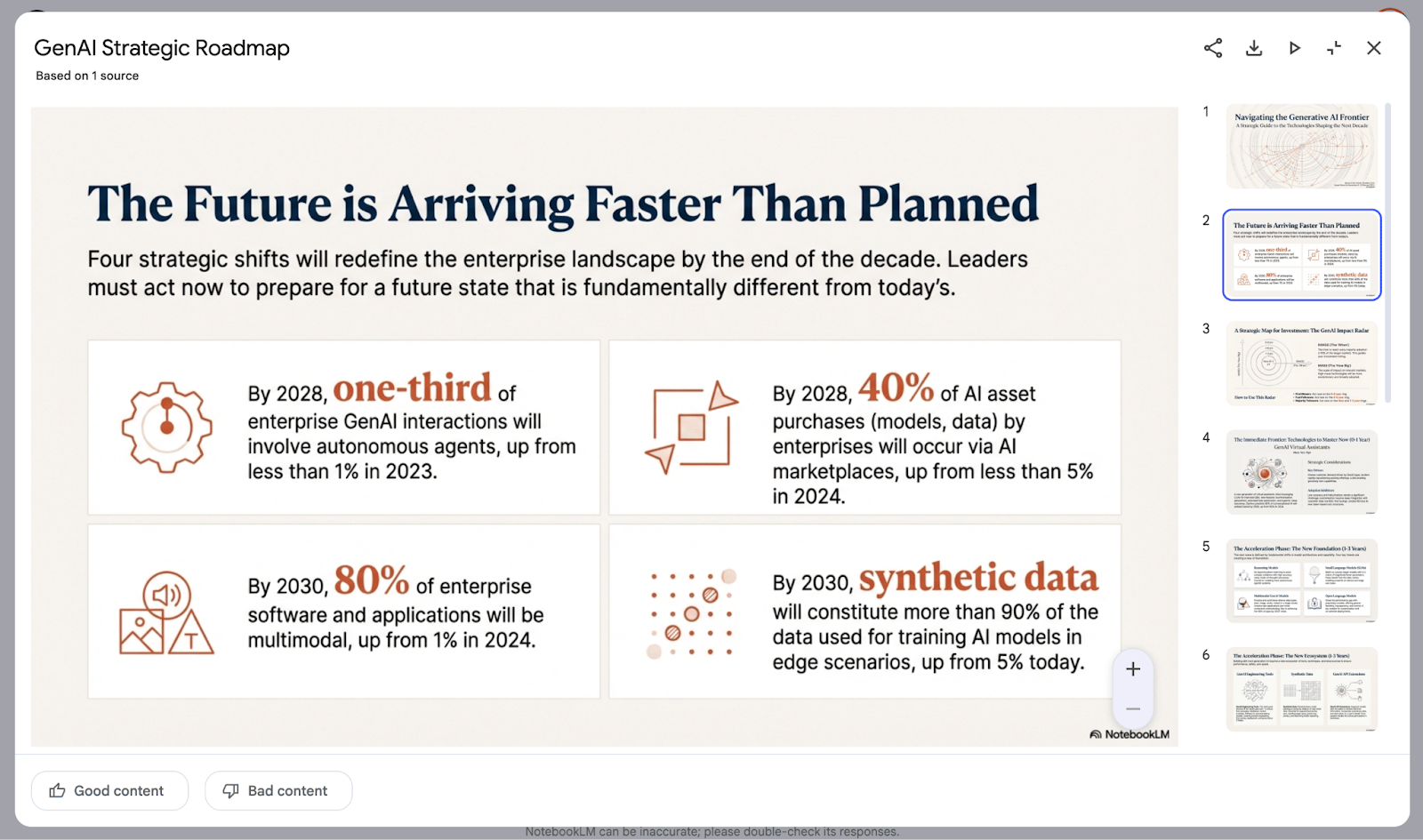
NotebookLM added a new Slide Deck feature.
It pulls from many sources in a notebook like PDFs, YouTube videos, audio, and links to auto‑create rich presentations. The Slide Deck lets you customize format, length, language, audience, and style before generating. It currently exports as PDF and takes about 5–10 minutes depending on sources. Editing the outline or slides after generation isn’t available yet because it’s in beta.
Access NotebookLM: Go to notebooklm.google. Sign in with your Google account. Create a new notebook or pick an existing one.
Add your sources: On the left, upload PDFs, paste links, or attach videos or audio. The more relevant sources you add, the better the presentation depth. NotebookLM can synthesize across many items, not just one doc.
Open Slide Deck: In the right “Studio” panel, find the Slide Deck card/button (next to Infographic). Don’t click generate yet. Tap the small pen/edit icon to set options first.
Choose format: Select Detailed (for self‑reading) or Presenter (for live talks). Pick a length that fits your session.
Pick language: Set the output language (it can differ from sources). English by default, but multi‑language works well.
Describe the brief: Tell the AI the exact topic focus. Add audience details (level, profession). Define style and colors (e.g., modern, business, playful; brand color combo). More guidance = better slides.
Generate the deck: Click Generate. Wait ~5–10 minutes, depending on how many sources you included. You’ll see the completed slides in the Studio panel when done.
Review depth & accuracy: Browse slides to check detail, visuals, and synthesis across sources. This is where NotebookLM shines vs single‑doc tools.
Download as PDF: Use the download button to export. Right now, it saves as PDF only.
Know the current limits (beta): You can’t preview/edit the outline before generation, and you can’t edit slides after. Expect these to improve as Google iterates.
Quick tips
Keep sources tightly scoped to your talk. Quality beats quantity.
Write a clear brief: topic, audience, objective, tone, visual style.
Use Presenter format for talks and Detailed for shareable reading.
Quick AI News Bites
OpenAI cites “misuse” and Section 230. The company says ChatGPT repeatedly directed the teen to crisis resources and that excerpts in the lawsuit need context. It’s rolling out more parental controls and safeguards but argues the death wasn’t caused by ChatGPT.
xAI will add small on-site solar near its Memphis data center while relying on hundreds of megawatts of gas turbines that locals say worsened air quality. A separate 100 MW solar + 100 MW battery project is planned; permitting fights continue.
Michael Burry argues AI infra spend is outrunning monetization, and firms are stretching GPU/server depreciation to 5–6 years, overstating profits. If demand slows or hardware becomes obsolete faster, a catch-up hit could bite earnings. Bulls counter older GPUs get repurposed.
WhatsApp boots rival chatbots Meta’s updated Business API terms block distributing non‑Meta AI chatbots via WhatsApp. Customer support bots remain okay, but distribution as a product is banned; expect Meta AI as the in‑app default.
ChatGPT Voice lives inside the chat now. You can talk, see responses render live, and review past messages and visuals in one place. The old voice-only interface is still available via settings. Rolling out on web and mobile.
Boost revenue and gain new customers by partnering with us
Reach over 35K AI enthusiasts with your product.
Join our newsletter to connect with tech professionals, investors, engineers, managers, and business owners worldwide. DM now!
Got feedback, a story worth toasting, or a wild tech question? I’d love to hear from you; just reply, or find me on X.
Cheers,
— Poonam Soni