- AI Toast
- Posts
- Claude Now Controls Your Entire Computer
Claude Now Controls Your Entire Computer
Plus: Create beautiful infographics with Gemini

Poonam Soni
March 24, 2026

In partnership with

Welcome to AI Toast!
Here’s what’s on the menu today:
Claude can now open apps, browse the web, and edit files on your computer.
Google Signs 1GW Energy Deals to Make Data Centers Smarter
Superhero tools for task management
Create beautiful infographics with Gemini (Step-by-Step)
Quick Toasts: Analysts call 2026 an “inflection year” for AI
Total read time: About 5 minutes, perfect for a quick coffee break.
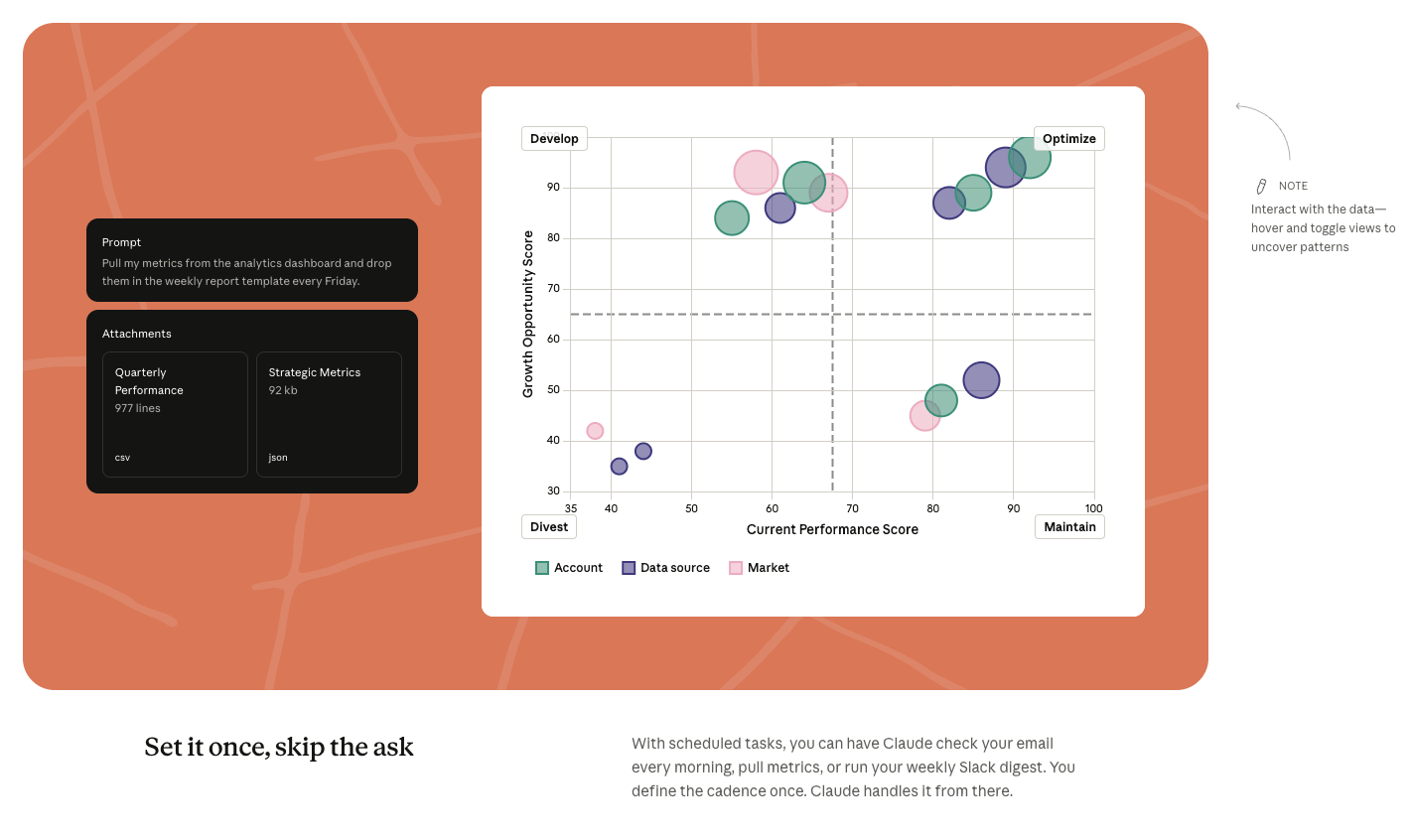
Anthropic is expanding Claude’s capabilities with computer-use features, allowing the AI to actually perform tasks on your device instead of just giving instructions.
The feature is rolling out in research preview via Claude Cowork and Claude Code (macOS only).
Claude can now open apps, browse the web, and edit files on your computer.
Works across tools like spreadsheets, browsers, and documents.
Supports task delegation, where you describe the outcome and Claude executes it.
Can run scheduled tasks like checking emails or generating reports.
Maintains context across devices, letting you start on phone and continue on desktop.
Shows a plan before taking actions, so users stay in control.
Outputs finished deliverables like reports, decks, or formatted files.
Available in Claude Cowork and Claude Code (research preview).
This marks a shift from AI assistants that respond → to AI agents that actually complete tasks.
Personal Take: This feels like one of the biggest shifts in how we use AI. Instead of constantly prompting step-by-step, you can now hand off entire tasks and let the AI execute them. If this becomes reliable and widely available, it could change how people work day-to-day especially for repetitive or operational tasks.
Your AI tools are only as good as your prompts.

Most people type short, lazy prompts because writing detailed ones takes forever. The result? Generic outputs.
Wispr Flow lets you speak your prompts instead of typing them. Talk through your thinking naturally - include context, constraints, examples - and Flow gives you clean text ready to paste. No filler words. No cleanup.
Works inside ChatGPT, Claude, Cursor, Windsurf, and every other AI tool you use. System-level integration means zero setup.
Millions of users worldwide. Teams at OpenAI, Vercel, and Clay use Flow daily. Now available on Mac, Windows, iPhone, and Android - free and unlimited on Android during launch.

Google has signed 1 gigawatt (GW) of demand response energy deals, showing how AI data centers can actually help make electricity systems more efficient and affordable.
The move focuses on making data centers more flexible in how they use power.
Google can shift or reduce data center energy usage during peak demand times.
Uses flexibility in machine learning workloads to balance grid pressure.
Signed agreements with utilities like Tennessee Valley Authority and Minnesota Power.
Helps utilities avoid building expensive infrastructure for peak usage.
Can improve grid stability during high-demand periods.
Works alongside investments in solar, geothermal, and energy storage.
Aims to make electricity systems more reliable and cost-efficient.
This challenges the idea that AI data centers only increase pressure on power systems.
Personal Take: AI infrastructure is often criticized for consuming too much energy. What’s interesting here is the shift toward making that demand flexible instead of just reducing it. If this model scales, data centers could actually become part of the solution rather than the problem.
Learn how to code faster with AI in 5 mins a day

You're spending 40 hours a week writing code that AI could do in 10.
While you're grinding through pull requests, 200k+ engineers at OpenAI, Google & Meta are using AI to ship faster.
How?
The Code newsletter teaches them exactly which AI tools to use and how to use them.
Here's what you get:
AI coding techniques used by top engineers at top companies in just 5 mins a day
Tools and workflows that cut your coding time in half
Tech insights that keep you 6 months ahead
Sign up and get access to the Ultimate Claude code guide to ship 5X faster.
Superhero Tools (Content)
Motion: An AI-powered task and calendar manager that automatically schedules your tasks, meetings, and deadlines to optimize your day and reduce planning time.
ClickUp: An all-in-one productivity platform that helps teams manage tasks, projects, docs, and goals with customizable workflows and AI-powered assistance.
Asana: A popular project management tool that helps teams organize tasks, track progress, and collaborate efficiently with timelines, boards, and automation.
Notion AI: An AI-enhanced workspace that combines notes, tasks, and databases while helping you write, summarize, and manage projects more efficiently.
Fireflies: An AI meeting assistant that records, transcribes, and summarizes meetings, helping you turn conversations into actionable tasks and insights.
Create Beautiful Infographics with Gemini
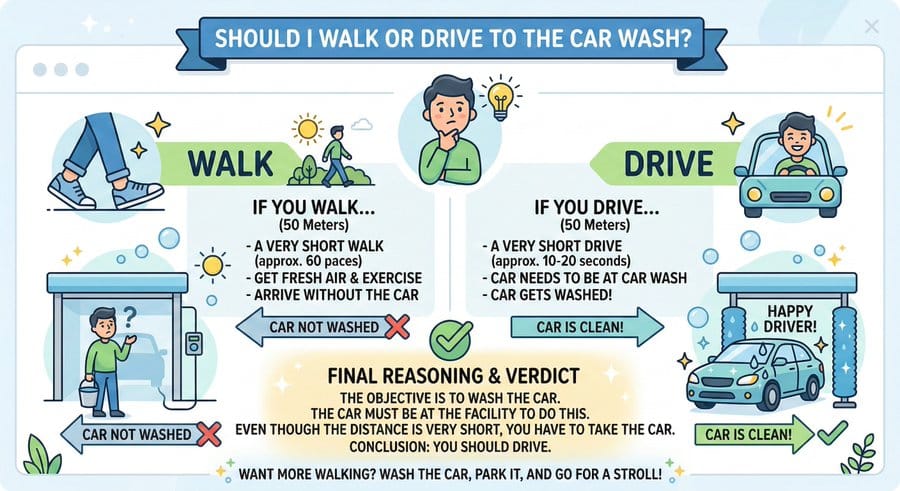
Open Gemini and go to the image generation tool (Tools → Create Images).
Use a structured prompt like this:
Prompt Template:
“Create a [aspect ratio] infographic about [topic]. Focus on: [main idea or key takeaway] Style: [modern/minimal/corporate/playful/etc.] Colors: [primary colors + accent color] Background: [light/dark/gradient/texture] Layout: [grid/timeline/step-by-step/comparison] Include: [icons, charts, illustrations, labels] Make it clean, readable, and visually balanced.”
Click Generate and review the output.
If needed, refine your prompt by adjusting:
Style (more minimal, more bold, etc.)
Layout (add sections, steps, hierarchy)
Colors (for better contrast and clarity)
Download the final infographic and use it for social media, presentations, or blogs.
Pro Tip: The better your structure (topic + layout + style), the better your infographic will look. Think like a designer, not just a prompt writer.
Quick AI News Bites
AI safety protests erupt in San Francisco, with activists calling for a pause on advanced AI development and urging companies like OpenAI and Anthropic to commit to stricter safety measures.
Axios launches AI+DC event series, bringing together policymakers, tech leaders, and defense experts to discuss AI’s growing role in government, economy, and national security.
AI hackathons move into real-world testing phase, as projects shift from ideas to working prototypes focused on enterprise automation and practical use cases.
Analysts call 2026 an “inflection year” for AI, pointing to accelerating investments across infrastructure, cybersecurity, and enterprise applications.
Boost revenue and gain new customers by partnering with us
Reach over 35K AI enthusiasts with your product.
Join our newsletter to connect with tech professionals, investors, engineers, managers, and business owners worldwide. DM now!
Got feedback, a story worth toasting, or a wild tech question? I’d love to hear from you; just reply, or find me on X.
Cheers,
— Poonam Soni